Resize a Widget

Feb 01, 2026
 191
191
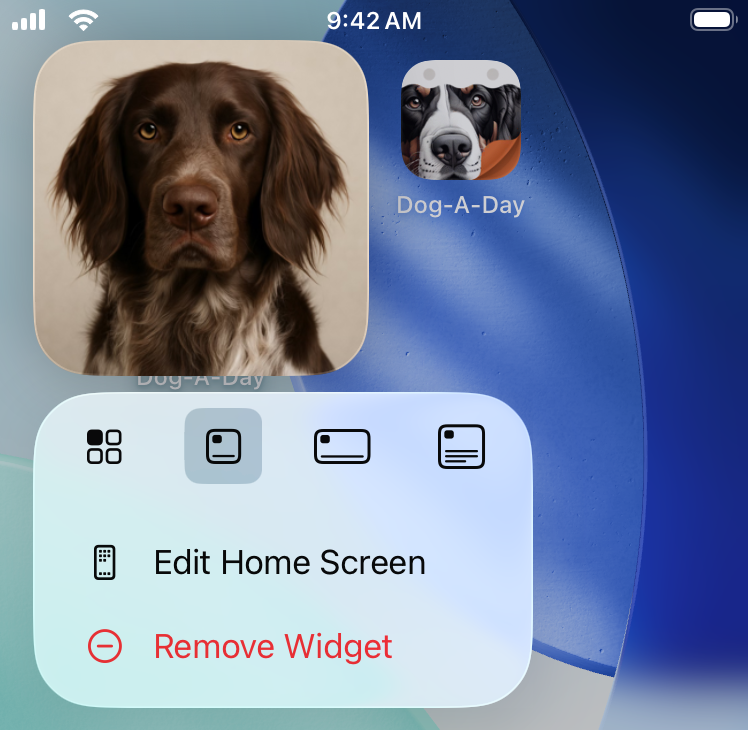
Widgets come in multiple sizes:
- A small square covering the space of 4 app icons.
- A rectangle that is 4 app icons wide and 2 icons tall.
- A large square that is 4 app icons wide and tall.
To change the size of a widget that has been placed on your home screen:
- Tap and hold on the widget.
- Select the new widget size from the icons at the top of the popup menu.